The Complete Guide to Secondary Domain Setup for Cold Email Deliverability in 2026
29 March 2026 • By Jakub Cambor, Founder of AI for Marketing | Top 1% Upwork Expert Vetted Talent
Last updated: 29 March 2026

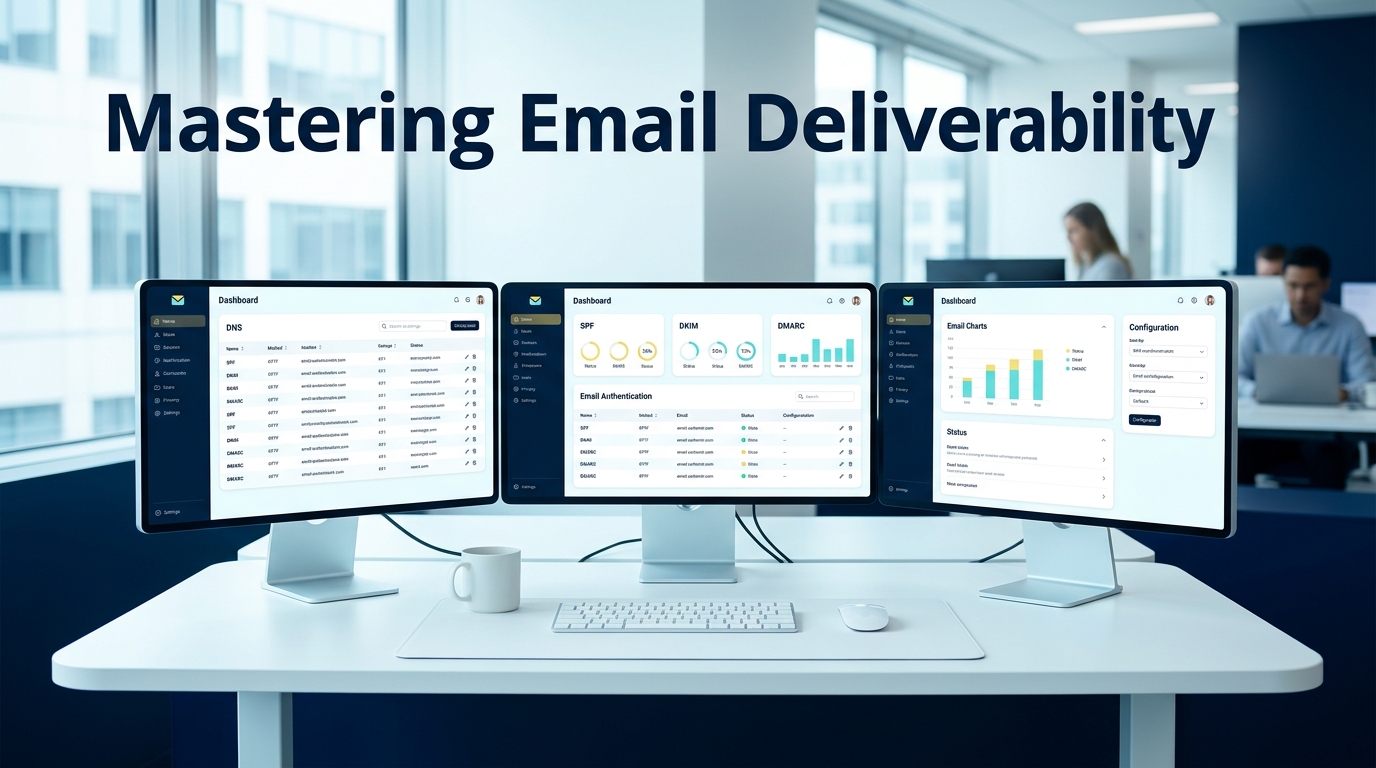
Cold email has permanently shifted from a volume-based numbers game into a highly technical infrastructure challenge. Modern B2B outreach requires precision engineering. If you are relying on outdated tactics, your messages are not reaching the inbox.
In 2026, Email Service Providers like Gmail and Outlook deploy aggressive spam filters that analyze everything from your sender reputation to your DNS configuration. According to the Validity 2025 Deliverability Report, the global average for inbox placement hovers around 84 percent. This means 16 percent of legitimate emails never see the light of day without proper technical setup, before you even factor in cold outreach risk signals like low engagement, link tracking, and list decay.
Executing a flawless secondary domain setup cold email deliverability strategy is no longer optional. It is the foundational requirement for any serious outbound campaign. This document provides the exact technical blueprint required to build a resilient, scalable B2B cold email infrastructure that protects your brand, guarantees inbox placement, and turns outbound marketing into a predictable revenue system.
Why Your Primary Domain is a Ticking Time Bomb (And Subdomains Aren't Safe)
Sending cold outreach from your primary business domain is an unacceptable operational risk. Your primary domain is the digital identity of your company. It handles internal communications, client correspondence, software logins, and transactional emails.
When you send cold emails, you inevitably generate spam complaints and bounces. If these negative signals are tied to your primary domain, major Email Service Providers will throttle your sender reputation. A blacklisted primary domain destroys your ability to communicate with existing clients, delays critical financial invoices, and blocks candidate outreach for hiring. Once a primary domain is burned, it can take months of intensive rehabilitation to restore normal email function. Deliverability risk is not isolated to a single campaign. Reputation systems are correlation-driven: sending patterns, complaint rates, and engagement signals are aggregated to predict future behavior. That noise should never touch your primary domain.
The Subdomain Myth
For years, the standard advice was to use a subdomain for outreach. Companies would set up addresses like mail.yourcompany.com. In 2026, this advice is actively harmful.
Modern algorithms do not treat subdomains as fully independent entities. Subdomain reputation routinely ladders up to the root domain via shared authentication, shared organizational signals, and behavioral linkage. If your subdomain gets flagged for spam, the penalty cascades up to the primary domain. The algorithmic wall between root domains and subdomains no longer exists. If you think a subdomain is a safe blast zone, you are still betting your core business communications on the hope that the filters will not connect the dots.
The only professional standard for B2B sales operations is a completely separate, isolated secondary domain infrastructure. This creates a firewall between your outbound marketing efforts and your core business operations.
Step 1: Purchasing and Configuring Your Secondary Domains
Building a resilient infrastructure starts with asset acquisition. A secondary domain strategy is not simply buying one extra domain. It is building a portfolio you can scale across without forcing volume through a single reputation bottleneck.
Domain Selection Strategy
Your secondary domains should closely resemble your main brand to maintain trust with the recipient. If your primary domain is acme.com, you should acquire variations like getacme.com, tryacme.com, or acmehq.com.
Always prioritize .com top-level domains. Avoid cheap extensions like .xyz, .info, or .biz. Security networks assign inherently higher spam scores to these cheaper extensions because they are frequently abused by bad actors. A .com domain carries immediate algorithmic trust. Keep the domain short, readable, and avoid hyphen stacking or odd spellings. Do not impersonate your primary domain in a misleading way, as this can trigger user complaints, which is the fastest path to reputation collapse.
Workspace Isolation
Once you have secured your domains, you must establish completely separate workspace environments. You must use dedicated Google Workspace or Microsoft 365 accounts for these new domains.
Do not add these secondary domains as aliases under your primary workspace tenant. Aliasing shares the underlying IP infrastructure and tenant reputation. Linkage is the enemy of isolation. By creating isolated tenant environments, you compartmentalize the risk. If one workspace encounters deliverability issues, it will not infect the others. Each secondary domain should live in a separate mailbox environment with separate user accounts.
Scaling Limits: 3 to 5 Mailboxes Per Domain
The golden rule of outbound scale is horizontal expansion. You cannot force high volume through a single inbox. You must adhere to a strict maximum of 3 to 5 mailboxes per secondary domain.
Adding more mailboxes to a single domain dilutes the sender reputation and triggers automated spam filters. To scale cold email safely, you must purchase additional domains and distribute the sending volume evenly across a wider network of isolated mailboxes. This keeps each domain's behavior within a normal-looking band for a small business, rather than resembling a broadcast system.
Step 2: The DNS Trinity: Setting Up SPF, DKIM, and DMARC
Without proper DNS authentication, your emails will be flagged as spoofing attempts before they even reach the spam folder. Email Service Providers require mathematical proof that you are authorized to send emails on behalf of your domain.
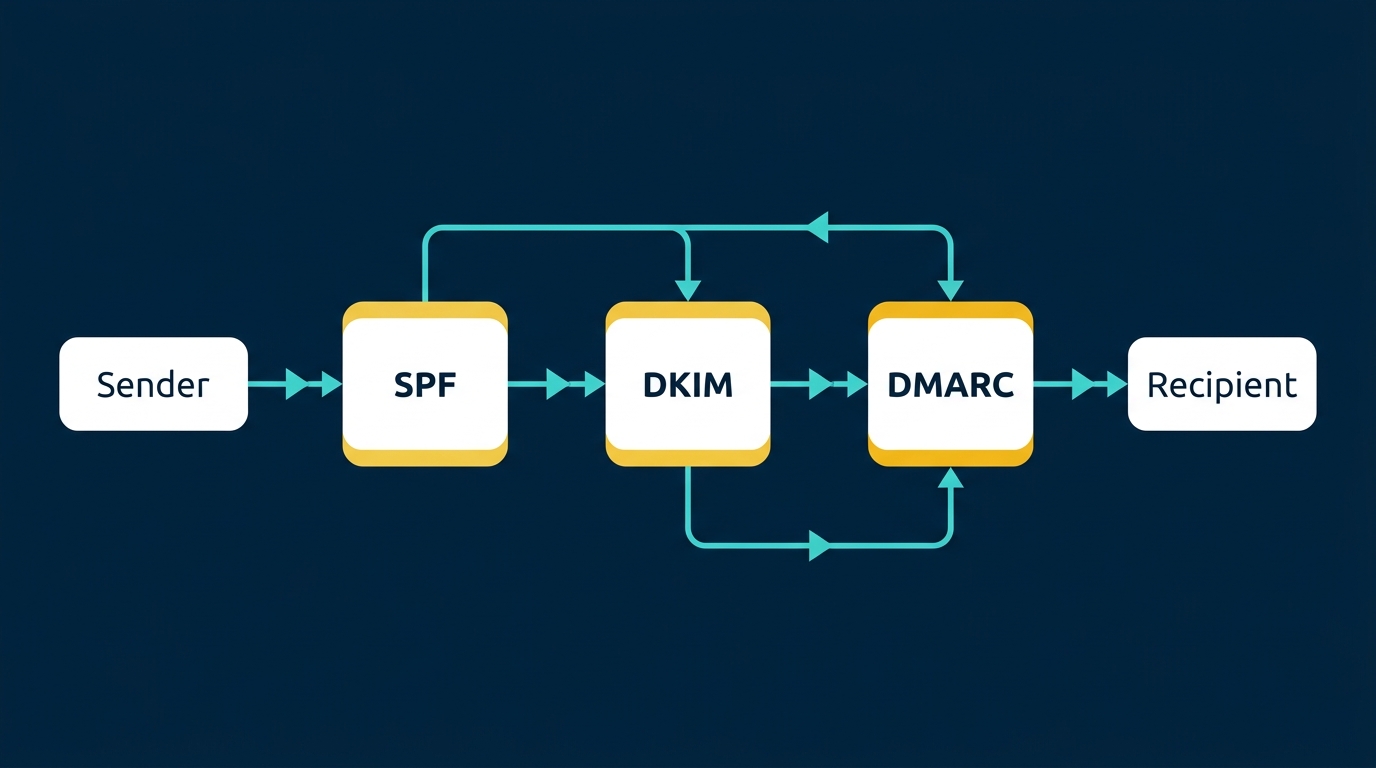
This requires configuring the DNS Trinity. This is a non-negotiable step in your SPF DKIM DMARC setup guide. If you skip authentication, you are effectively telling Gmail and Outlook that you might be spoofing the domain.
SPF (Sender Policy Framework)
SPF acts as a digital guest list for your domain. It is a TXT record added to your DNS settings that explicitly lists the IP addresses and mail servers authorized to send emails on your behalf.
If a receiving server gets an email from an IP address not listed in your SPF record, it will reject the message or mark it as suspicious. A standard, highly effective SPF record for a Google Workspace setup looks exactly like this:
v=spf1 include:_spf.google.com ~all
The ~all mechanism at the end is crucial. It instructs the receiving server to accept the email but mark it as suspicious if it fails alignment, which is the safest configuration during the initial warmup phase. Only one SPF TXT record should exist per domain, as multiple records will break the evaluation process.
DKIM (DomainKeys Identified Mail)
DKIM provides a cryptographic signature that proves the email was not tampered with in transit. When you send an email, your server attaches a private key signature to the header.
The receiving server then looks up the public key published in your DNS records to verify the signature. If the keys match, the email is authenticated. Without DKIM, filters assume your message has been intercepted or forged. In practical terms, DKIM is one of the strongest positive trust signals you can control. You must enable DKIM in your workspace for each secondary domain and publish the corresponding TXT record in your DNS settings.
DMARC (Domain-based Message Authentication, Reporting, and Conformance)
DMARC is the policy layer that ties SPF and DKIM together. It tells the receiving server exactly what to do if an email fails either SPF or DKIM checks. In cold outreach infrastructure, DMARC also produces reporting that helps you see whether your domain is being spoofed or misused.
Your DMARC strategy requires a progressive rollout. During the warmup phase, you must start with a monitoring policy: v=DMARC1; p=none;. This allows emails to deliver while you monitor authentication reports. You do not want to accidentally quarantine legitimate mail while you are still confirming every moving part in your stack.
Once your infrastructure is mature and you are confident authentication is passing consistently, you must upgrade the policy to p=quarantine or p=reject to enforce strict security protocols. Before sending a single campaign, you must verify your syntax using a DNS lookup tool like MXToolbox to ensure there are zero configuration errors, broken quotes, or missing propagation.
Step 3: Custom Tracking Domains and Workspace Configuration
Default open and click tracking mechanisms provided by outreach platforms are a massive liability. Most cold email teams damage deliverability with tracking long before they hit volume limits.
The underlying issue is mismatch. Your email might come from getacme.com, but the click tracking domain is a shared, generic domain owned by the outreach platform. That mismatch looks like phishing behavior to modern filters. Security systems inspect the domain in the "From" header, the domain in the visible links, redirect chains, and the reputation of tracking hosts. Shared tracking domains accumulate the behavior of thousands of senders, including bad actors.
Setting Up a Custom Tracking Domain
To bypass this risk, you must configure a custom tracking domain. This involves setting up a mandatory CNAME record in your DNS settings.
This configuration ensures that the tracking links embedded in your emails exactly match the 'From' address of your secondary domain. For example, if you send from sales@getacme.com, your tracking pixel should be hosted on track.getacme.com.
When filters scan your email, they verify that the sender domain and the tracking domain are aligned. Mismatched URLs are immediately flagged as phishing attempts. This alignment reduces mismatch signals and removes an avoidable red flag that many teams unknowingly ship into every email they send.
Additionally, your workspace configuration must be flawless. Ensure each mailbox has a real display name, set a clean signature with company details while avoiding heavy HTML, disable aggressive auto-forwarding chains, and ensure sending is done via the mailbox API path your SPF and DKIM cover.
Step 4: The 4-Week Warm-Up Protocol and Volume Ramping
A newly purchased domain has zero reputation. If you immediately send hundreds of emails from a cold domain, you will be permanently blacklisted within hours. Warming is not a ritual: it is reputation training.
You must establish trust through a rigorous cold email domain warm up schedule. Domain warming is the process of artificially generating positive engagement. This involves sending emails to a peer-to-peer network where automated systems open your emails, reply to them, and mark them as "not spam" if they land in the junk folder. This generates the opens, replies, and low bounce rates required to build a track record.
The 2026 Progressive Schedule
- • Week 1: 5 emails per day.
- • Week 2: 10 emails per day.
- • Week 3: 20 emails per day.
- • Week 4: 30 emails per day.
This is a mathematical ramp, not a suggestion. Sudden spikes are one of the easiest ways to get throttled because they resemble compromised-account behavior. During this period, the warmup software will automatically generate realistic conversation threads, signaling to receivers that you are a legitimate human engaging in normal business communications.
Sending Limits and Horizontal Scaling
Once your domains are fully warmed, you must respect the hard algorithmic ceilings. Treat 25 to 30 cold emails per mailbox per day as the operational ceiling.
Pushing beyond this limit drastically increases the probability of triggering rate limits.
If your goal is to send 1,000 emails a day, you do not increase the volume per inbox. You scale horizontally by deploying 40 separate mailboxes across 10 different secondary domains. Distribute campaigns across the pool and maintain per-mailbox normalcy. This is exactly how mature sales operations teams build reliable outbound: not by sending more from one source, but by building an outbound fleet with redundancy.
Step 5: Monitoring, Bounce Thresholds, and Domain Rotation
Infrastructure requires constant surveillance. Deliverability is not a set-and-forget process. The algorithms evaluate your sender reputation on a rolling basis, meaning your inbox placement can drop overnight if you neglect monitoring. If you do not measure reputation, you will only notice deliverability when pipeline drops, by which time the domain is already in a hole that takes weeks to climb out of.
You must monitor your sender reputation via Google Postmaster Tools to catch issues early. This platform is the absolute source of truth for how Google views your domains, including reputation signals that correlate directly with inboxing. Review reputation trends weekly and treat any sustained decline as an incident.
Bounce Rate Mathematics
Bounce rates are the most critical metric in cold email deliverability. A bounce occurs when you attempt to email an address that does not exist or is no longer active. In 2026, bounce rate is not a vanity metric: it is a deliverability trigger.
Your bounce rate must be kept strictly under 2 percent. Hitting a 3 percent bounce rate is considered a critical failure and will immediately trigger severe spam filters. High bounce rates signal poor list hygiene or scraping, which filters interpret as spam-adjacent behavior.
To maintain this mathematical threshold, you must implement rigorous lead list validation. Every single email address must be verified through a third-party scrubbing tool immediately before the campaign launches. Remove catch-all risks, suppress role accounts, and exclude recently bounced domains globally across all campaigns.
Rotation vs. Retirement
Even with perfect configuration, domains degrade over time due to natural spam complaints from prospects. Domains have lifecycles, and a professional outbound program assumes that some domains will degrade and plans for rotation.
If your Google Postmaster Tools reputation drops from 'High' to 'Medium' or 'Low', you must take immediate action. Pause all outbound campaigns for that specific domain immediately. Rotate a fresh, pre-warmed backup domain into your sending sequence to maintain your campaign volume.
Put the damaged domain back into a pure warm-up cycle. By removing the negative signals of cold outreach and flooding the domain with positive peer-to-peer interactions, you can rehabilitate the domain's reputation. If a domain remains at a bad reputation for more than 30 days despite rehabilitation efforts, or if it is repeatedly degraded after multiple campaigns despite clean lists, it must be permanently retired. You do not keep a failing component in a production system just because you paid for it.
Automate Your Infrastructure with Our Lead Gen Engine
Managing the intricacies of DNS records, customized tracking pixels, progressive warming schedules, and Postmaster APIs is a massive drain on internal resources. For busy B2B founders and sales leaders, building this infrastructure from scratch detracts from closing deals and driving revenue.
The gap between businesses that master this technical infrastructure and those that rely on generic tools is widening. You need a system that is precision-engineered for your business strategy, ensuring your message reaches the decision-maker every single time.
We handle this entire complex setup process entirely for you. This complete infrastructure build-out is seamlessly integrated into our Lead Generation Engine service. Our team of experts purchases the optimal brand-adjacent domains, configures the DNS Trinity, establishes isolated Google Workspaces, aligns custom tracking domains, and manages the rigorous 4-week warming protocol. We implement it cleanly, document the architecture, and only hand over the credentials when the system is fully authenticated, stable, and ready to scale safely. Leave the technical operational grind to us and focus purely on the high-level strategy of growing your business.
Frequently Asked Questions (FAQs)
Can I use a subdomain for cold email instead of a new domain? No. Modern algorithms link the reputation of a subdomain directly to the root domain. If your subdomain gets flagged for spam during cold outreach, your primary business domain will suffer the exact same deliverability penalties. A separate secondary domain is the only safe standard.
How many cold emails can I send per day from one mailbox in 2026? You should never exceed a maximum of 25 to 30 cold emails per mailbox per day. Pushing beyond this limit triggers automated spam filters; scaling requires adding more isolated mailboxes across multiple domains rather than increasing individual volume.
What is the difference between SPF, DKIM, and DMARC? SPF dictates which IP addresses are authorized to send emails on your behalf. DKIM applies a cryptographic signature to prove the email was not altered in transit. DMARC is the overarching policy that tells receiving servers how to handle emails that fail the SPF or DKIM checks while generating security reports.
How long does it take to warm up a secondary domain for cold outreach? A proper domain warm-up requires a strict 4-week progressive schedule. You must slowly ramp up volume from 5 emails a day to 30 emails a day using a peer-to-peer network to build algorithmic trust before launching live campaigns.
What should I do if my domain reputation drops to 'Low' in Google Postmaster? You must immediately pause all live outreach campaigns associated with that domain. Rotate a pre-warmed backup domain into your sequence, and place the damaged domain back into a dedicated warm-up pool to rehabilitate its reputation over several weeks.
Want to build marketing systems like this?
Book a Discovery CallRelated Articles

AI Email Marketing: Beyond Drip Sequences
AI email marketing moves beyond basic rule-based automations to intelligent systems that personalise content, optimise send times, generate copy, and adapt sequences based on recipient behaviour in real time.
Read more →
AI Marketing Strategy Framework (2026)
An AI marketing strategy is a structured plan for integrating artificial intelligence into your marketing operations. This framework covers the maturity audit, prioritisation, the build sequence, KPIs, and common strategic mistakes.
Read more →
AI Content Creation: Scale Without Losing Quality
AI content creation is the use of artificial intelligence to research, draft, edit, and optimise marketing content. Learn how to scale production with quality gates, brand DNA frameworks, and workflows that keep the human where it matters.
Read more →